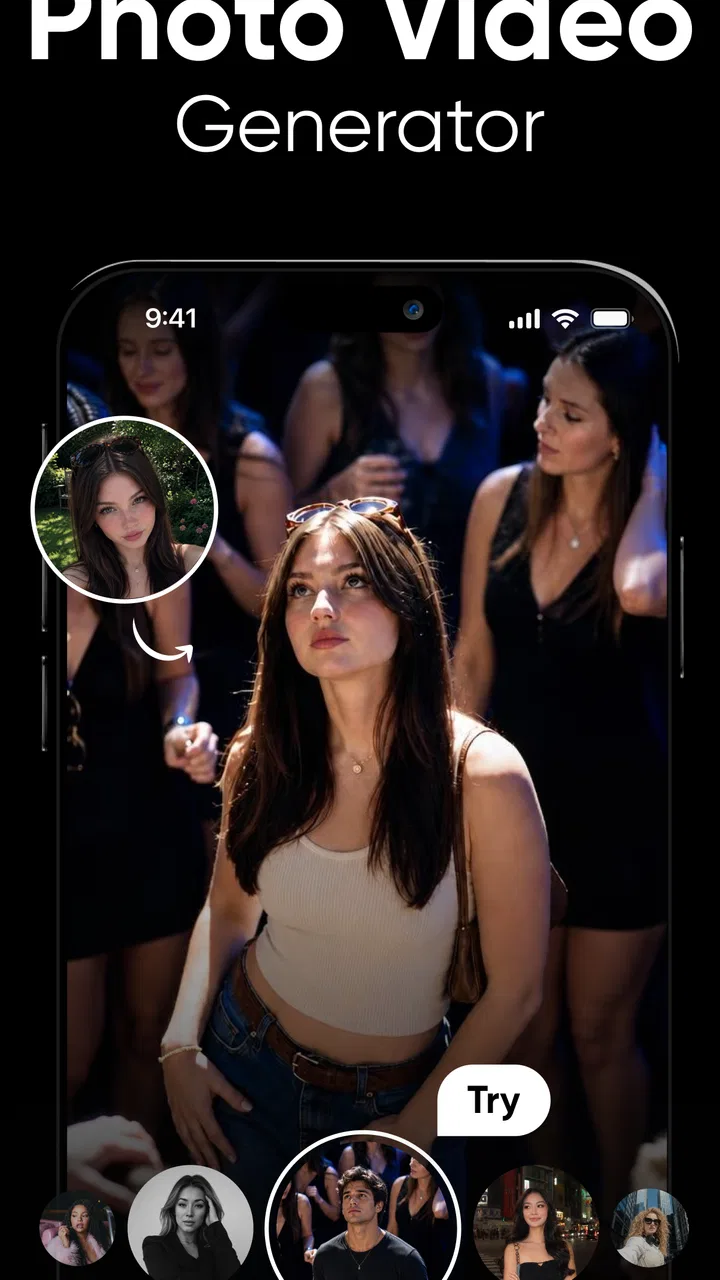
Shots - AI Photo & Video Maker
- 4.5
- Rating
- 1.00M
- Installs
- Free
- Price

 Analysis by App-foxy
I tried Shots - AI Photo & Video Maker as a photography app with a very specific promise: turn ordinary images and clips into dance-oriented, shareable creations without asking me to learn a full editing suite. That focus makes the first session easy to understand. I could approach it as a quick creative tool rather than a serious timeline editor, and the appeal comes from seeing a familiar photo or short video take on a more playful, trend-aware presentation.
My longer-term reaction is more measured. This is the kind of app that can be exciting when I have a particular idea, a friend willing to appear in a clip, or a social post that needs something more energetic than a standard camera upload. It is less convincing as my only photography app. The real question is not whether the effects are entertaining once, but whether I would still open it after the novelty has settled. For me, that depends on how often I make short social content and how comfortable I am with an AI-led workflow.
What the first week feels like
The first-week experience is built around immediacy. The store positions it as an AI tool for dance and viral videos, and that description accurately sets the expectation: this is not trying to replace a traditional camera, a detailed retouching app, or a professional video editor. I would open it when I wanted a result with personality, not when I needed precise control over every frame.
You May Also Like

 Blood Strike: 2.5 Anniversary
Blood Strike’s Loadouts Turn Every Drop Into a Tactical Gamble
A close look at Blood Strike’s custom loadouts: how fast access to signature weapons reshapes its battle royale rhythm, rewards preparation, and narrows the gap between fights.

 Pandora - Music & Podcasts
Pandora’s Music Is Easy to Start, but Harder to Recover
Pandora’s strength is its low-effort path from a seed to a station. Its weak spot is how much confidence it asks you to place in connection, setup, and quiet recovery.

 8 Ball Pool
 Is Built on Rivalries, Rematches, and Routine
A close look at the rivalries, rematches, shared routines, and unanswered safety questions that turn a quick pool match into a persistent mobile community.

 Samsung Music
’s Quiet Strength Is Playing What You Already Own
Its reach comes less from spectacle than from dependable access to a personal library. That simplicity is both the app’s strongest retention engine and its ceiling.

 AccuWeather: Weather Radar
AccuWeather Review: A Quick, Clear Forecast for Everyday Decisions
For everyday plans, the best forecast is the one you can understand quickly. AccuWeather makes rain timing, radar, and local conditions easy to act on, with a few trade-offs.

 Hill Climb Racing
Why Hill Climb Racing Still Turns Crashes Into One More Run
A tiny car, a bumpy hill and one more upgrade: Hill Climb Racing keeps resurfacing because its simple chaos makes every near-miss feel personal.
More From Our News Desk



That distinction matters because many photography apps become frustrating by presenting too many controls before showing any creative payoff. Shots makes more sense when I treat it as an idea generator. I start with a suitable image or clip, test the available creative treatment, and decide whether the result feels natural enough to share. The process is best for experimentation, especially when I am willing to accept that an AI result may look more stylized than realistic.
A realistic everyday use case would be a birthday gathering where someone records a short, slightly awkward dance clip. Instead of trimming it repeatedly in a conventional editor, I could use this app to give the moment a more deliberate social-video feel. The same approach works for a casual selfie, a group photo, or a short clip made specifically for friends. The value is not that it turns every source into a polished production; it gives an ordinary moment a clearer creative direction.
During that first week, I would recommend testing several kinds of source material rather than judging the app from one image. A clean, well-lit subject is a better starting point than a crowded scene with people partially hidden. I also found that choosing a source with a clear focal point makes the finished result easier to evaluate. This is a useful habit with AI photography tools: the app can add style, but it cannot reliably rescue a confusing composition.
The app is free to install, which lowers the barrier to trying it. It also carries a Teen content rating, so I would not treat it as an unrestricted tool for young children. The developer is DeePix AI Apps, and the product has reached over one hundred thousand installs with an average rating of 4.1 from around four thousand ratings. Those figures suggest a real audience and reasonable interest, but they do not guarantee that every creative result will suit every phone, subject, or personal taste.
Where the novelty works best
The strongest early appeal is the gap between effort and presentation. A conventional editor asks me to make decisions about cuts, transitions, timing, and visual consistency. Shots is more attractive when I want to begin with a simple prompt in my head: “Can this picture become a fun short video?” That narrower purpose makes it approachable for people who normally avoid editing apps.
It is also useful for breaking creative hesitation. I sometimes keep a photo in my gallery because it feels ordinary, even though the subject or moment is worth sharing. An AI treatment can provide a starting point. I may not use the first result, but it helps me see whether the image has potential as a short-form post. That exploratory role is more valuable than the idea that every output will be ready immediately.
There is a trade-off, though. A result that looks impressive in a quick preview may feel repetitive after several attempts. AI effects often make a strong first impression because they change the mood dramatically. Once I have seen the same kind of transformation several times, I start paying more attention to facial consistency, movement, and whether the effect actually fits the original image. Shots is most enjoyable when I use it selectively instead of processing every photo in my library.
How it compares with familiar alternatives
Compared with a standard photo editor, this app is quicker for playful transformations but weaker for careful correction. If my goal is to fix exposure, remove a small distraction, crop for a precise layout, or maintain a consistent visual style across many pictures, I would choose a conventional editor. Those tools reward patience and control; Shots is better when I want a more noticeable change with less manual work.
Compared with a general short-video editor, it is more focused and potentially less intimidating. A timeline-based app gives me greater control over music, pacing, captions, and individual clips, but that flexibility also creates more work. I would choose Shots for a single concept that can be expressed through its AI treatment, then move to a full editor only if I needed exact timing or a more complicated sequence.
It also differs from a normal social camera. A camera app is usually about capturing the moment, while this one is about reinterpreting material I already have. That makes it a companion rather than a replacement. I would not uninstall my regular camera or editing tools after installing it. I would keep this app for occasions when a conventional post feels too plain and a full production workflow feels excessive.
What remains useful after the first month
The month-to-month value depends heavily on my habits. If I regularly make short posts, send playful clips to friends, or manage a social account that benefits from frequent visual variation, Shots can remain useful as a fast idea machine. It gives me a reason to revisit older photos and clips instead of treating my gallery as a storage box.
If I only take occasional photos and rarely share video, the app is more likely to become a novelty. That is not necessarily a flaw; specialized creative apps often have value in bursts. I might use it several times around a holiday, event, or personal project, then leave it alone for weeks. The important point is that its long-term usefulness comes from recurring creative situations, not from everyday photography basics.
One practical workflow is to separate creation from selection. I would make a small batch of variations from related source material, then wait before deciding what deserves to be shared. This prevents the first surprising result from automatically becoming the final one. It also helps me notice whether the app is producing genuinely different ideas or simply repeating a visual treatment that initially caught my attention.
Another useful approach is to match the source to the intended audience. A dramatic AI dance treatment may work well for a private joke between friends but feel out of place in a professional profile. For a family group, I would favor clear, recognizable images over heavily transformed ones. For a casual social post, I can accept more exaggeration. Thinking about the audience before processing saves time and reduces the temptation to use an effect just because it is available.
The current version is 1.7.6, and I would keep the app updated through the normal store process because AI-focused apps can change their creative behavior over time. An update may affect the feel of the results or the way a workflow behaves, so I would avoid building a time-sensitive project around one exact output without saving the version I prefer. That is a general maintenance habit, but it matters more when the creative process depends on automated generation.
The cost question becomes clearer with regular use
Although the app is free, it includes in-app purchases ranging from $0.99 to $79.99 per item. That wide range makes it important for me to decide how often I expect to use the app before paying for anything. A single inexpensive experiment may be reasonable if it solves a particular creative need. A much larger purchase deserves more caution, especially if I am still unsure whether the app will become part of my monthly routine.
I would not pay simply because an early result looks surprising. I would first test whether I can create several distinct pieces that I would actually share, whether the output suits the people I make content for, and whether the workflow saves me time compared with my existing editor. The right value calculation is not “Did this effect impress me?” but “Will I use this often enough to justify spending money on it?”
This is also where the app may divide users. Someone who enjoys frequent experimentation can see paid options as a way to keep a creative hobby moving. Someone who wants one polished video every few months may find the purchase structure harder to justify than using a familiar editor once. I would start free, establish a repeatable use case, and only then consider spending.
The maintenance burden is small, but not zero
Shots is easier to maintain than a large editing workspace because its purpose is narrow. I do not need to organize a complex project library just to try an idea. Still, the app creates a different kind of maintenance: I need to manage expectations, source material, and the temptation to generate more versions than I can use.
Before opening it, I would keep the original photo or clip available and avoid treating an AI result as the only copy. That simple step protects the part of the workflow I control. If a transformed version looks strange, I can return to the original and try a different direction rather than feeling that the source has been lost.
I would also reserve a little time for reviewing outputs. Quick generation does not always mean quick decision-making. A clip may be technically entertaining but unsuitable because the subject looks inconsistent, the movement feels unnatural, or the style clashes with the intended message. The app reduces some editing labor, but it does not remove the need for human judgment.
Device compatibility is another practical consideration. The minimum operating system is Android 9, which makes the app accessible to many older Android devices, but the experience can still vary according to hardware, storage, and the complexity of the source material. I would leave room on the phone and avoid testing it for the first time immediately before an important event. Creative tools are more enjoyable when I am not rushing to meet a deadline.
The Teen rating is worth keeping in mind when sharing a phone with younger users. Even if the intended use is harmless dancing or playful photography, I would still decide personally whether the app fits the age and maturity of the person using it. That is especially relevant when the finished material is intended for public social platforms rather than private sharing.
Where fatigue starts to appear
The main source of fatigue is repetition. Once I understand the central idea, I may begin asking what else the app offers beyond another variation of the same type of social-ready transformation. If my creative needs move toward detailed retouching, precise video assembly, or consistent branding, I would eventually outgrow this focused workflow.
There is also a quality-control burden that is easy to underestimate. AI-generated movement and styling can be fun, but I would inspect faces, hands, clothing, and the relationship between the subject and the background before sharing anything publicly. The more recognizable the person is, the more important that check becomes. A result can be amusing in a private chat and uncomfortable on a public account.
Another fatigue point is decision overload in disguise. A simple app can still encourage endless testing because each variation feels inexpensive in time. I get better results when I set a limit: choose a source, try a small number of directions, keep the strongest version, and stop. Without that boundary, the app can turn a quick post into an afternoon of comparing nearly identical outputs.
I would also skip it if my priority is photographic authenticity. The app’s identity is tied to transformation, so people looking for natural portraits, accurate color, or subtle professional retouching should use a dedicated tool instead. Likewise, creators who need exact control over audio, cuts, captions, and publishing format will probably be happier starting in a full video editor.
My long-term verdict
After the initial excitement, I see Shots as a useful specialist rather than a permanent replacement for my camera and editing apps. It earns space when I have a steady reason to make playful short-form content and want to move from a basic image to a more animated concept quickly. It does not earn that space merely because AI is interesting.
I would recommend trying it to friends who enjoy experimenting with photos, send humorous clips to their group chats, or want a low-friction way to explore dance-style video ideas. I would tell them to judge it over several different source images, not one spectacular result. I would also remind them that the free entry point is helpful, while the in-app purchase range means they should establish a real habit before committing to a larger purchase.
For my own routine, the best role is occasional but repeatable: use it when a photo needs a playful second life, save the original, review the result carefully, and move to a conventional editor when precision matters. That workflow keeps the novelty from becoming clutter. The lasting value is in having a fast creative option available, not in forcing every image through it.
My final recommendation is therefore positive but selective. The developer, DeePix AI Apps, has made a focused photography app that can make social-video experimentation approachable, and its free availability makes trying it straightforward. Its 4.1 average and audience of over one hundred thousand installs show that it has found interest, but the app’s personal value will depend on whether its style matches the way you already create and share. If you want controlled editing or natural photography, choose another tool. If you want quick, expressive transformations and can resist endless repetition, Shots is worth keeping for the moments when ordinary media needs a little more energy.
FAQs for Shots - AI Photo & Video Maker
01What is Shots - AI Photo & Video Maker used for?
Shots - AI Photo & Video Maker is designed for creating and enhancing visual content with artificial intelligence. It can help turn photos into stylized images, generate creative edits, and produce engaging videos for social media. The app is aimed at users who want quick results without relying on complex desktop editing software or advanced photography skills.
02Is Shots - AI Photo & Video Maker free to download and use?
The app may be available to download for free, but some tools, effects, templates, or AI generations can be restricted to premium users. Before starting a project, check the in-app pricing, subscription terms, and available trial details. Users should also confirm whether credits, exports, or advanced features require additional purchases beyond the initial download.
03Do I need an internet connection to use the AI editing features?
Most AI-powered functions generally require an active internet connection because images and videos may be processed through online servers. Basic actions, such as browsing saved media or making certain local adjustments, may work offline, depending on the version installed. For the best experience, use a stable Wi-Fi or mobile data connection when generating or exporting content.
04Can I use the edited photos and videos on social media or for commercial projects?
You can usually save and share the content created with the app on platforms such as Instagram, TikTok, YouTube, or messaging services. However, usage rights may vary for AI-generated material, premium templates, music, stock elements, and third-party assets. Review the app’s license and the terms attached to each asset before using exported content for advertising or commercial work.
05Does Shots - AI Photo & Video Maker protect my uploaded photos and personal data?
Before uploading personal images, review the application’s privacy policy to understand how files are processed, stored, and deleted. AI editing may involve sending media to remote servers, and some features can request access to your camera roll, camera, or microphone. Avoid uploading sensitive photos unless you are comfortable with the stated data practices and permissions.
Pros
- AI tools quickly turn photos into polished social media content.
- Includes templates for reels
- stories
- collages
- and promotional videos.
- Simple editing workflow suitable for beginners.
- Useful effects
- transitions
- and music options for short-form videos.
- Regularly updated creative styles help keep content visually fresh.
Cons
- Many advanced effects and templates require a paid subscription.
- AI results can vary depending on photo quality and subject positioning.
- Export options may be limited on the free plan.
- Some projects can consume significant storage and processing power.
- Watermarks or branding may appear on content created with free features.

Shots - AI Photo & Video Maker
Gallery